
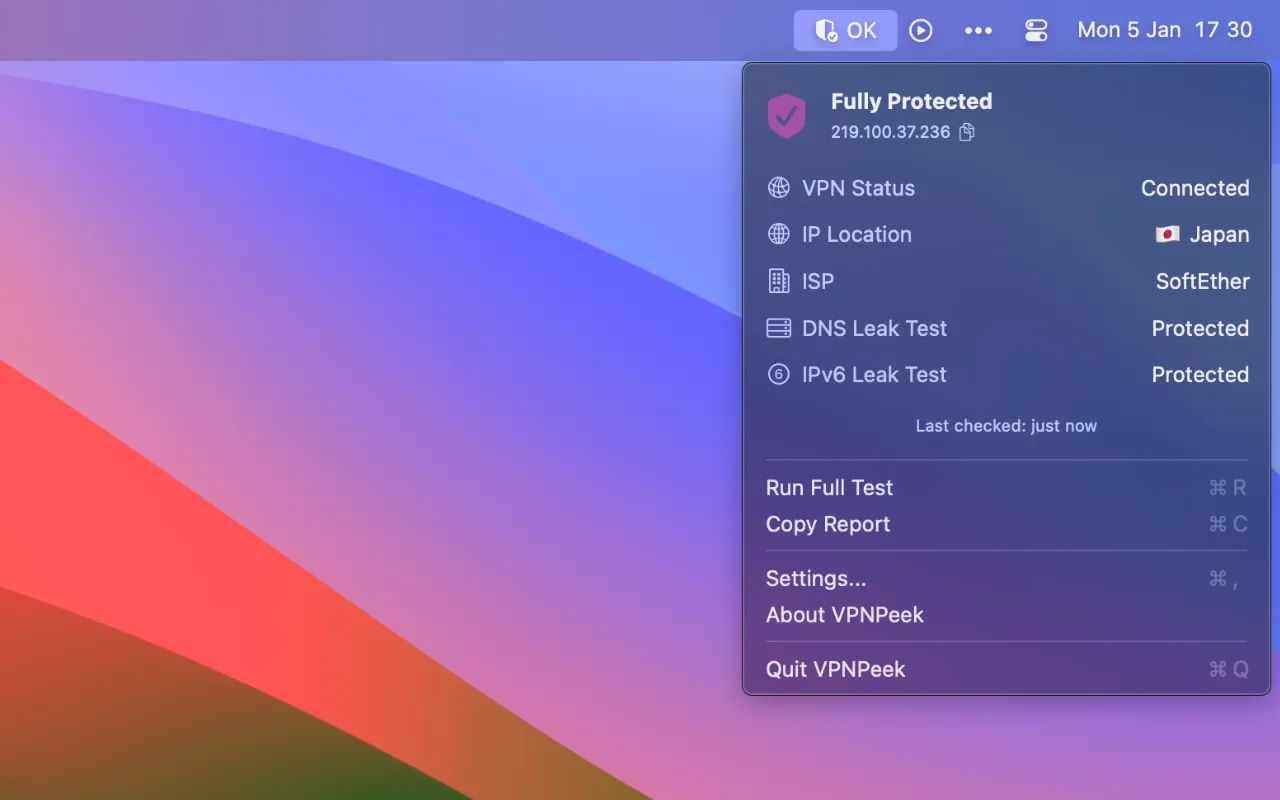
VPN Peek monitors VPN connection status from the Mac menu bar, providing real-time visibility into connection health and potential privacy vulnerabilities. The app works alongside any existing VPN provider rather than providing VPN service itself.
The core functionality centers on leak detection. VPN Peek automatically checks for DNS leaks, which occur when DNS queries bypass the VPN tunnel and route directly to ISP servers. It also identifies IPv6 leaks, where IPv6 addresses may be exposed even while IPv4 traffic routes through the VPN. These common issues often go unnoticed without dedicated monitoring.
Key features include continuous connection monitoring with immediate alerts when VPN disconnects or leaks are detected. The app auto-refreshes when users switch networks or VPN servers, keeping status information current. Users can view their current public IP address, geographic location, and connection vulnerabilities at a glance. A one-click option copies IP addresses to the clipboard.
The interface follows native macOS design guidelines with customizable menu bar display formats and icon styles. At 4.4 MB, the app runs entirely on-device with minimal resource usage.
Privacy considerations: VPN Peek queries third-party geolocation services to display location data, but no information is collected, stored, or shared by the developer. All processing occurs locally.
Requirements include macOS 14 or later. VPN Peek costs $3.99 as a one-time purchase and supports Family Sharing for up to six family members. Developed by indie developer Anh Phong.
Limitations include reliance on third-party geolocation services for location display and the requirement for users to already have a separate VPN provider configured.
Suitable for users who regularly use VPN services and want ongoing assurance that their connection is functioning properly without privacy leaks.


