
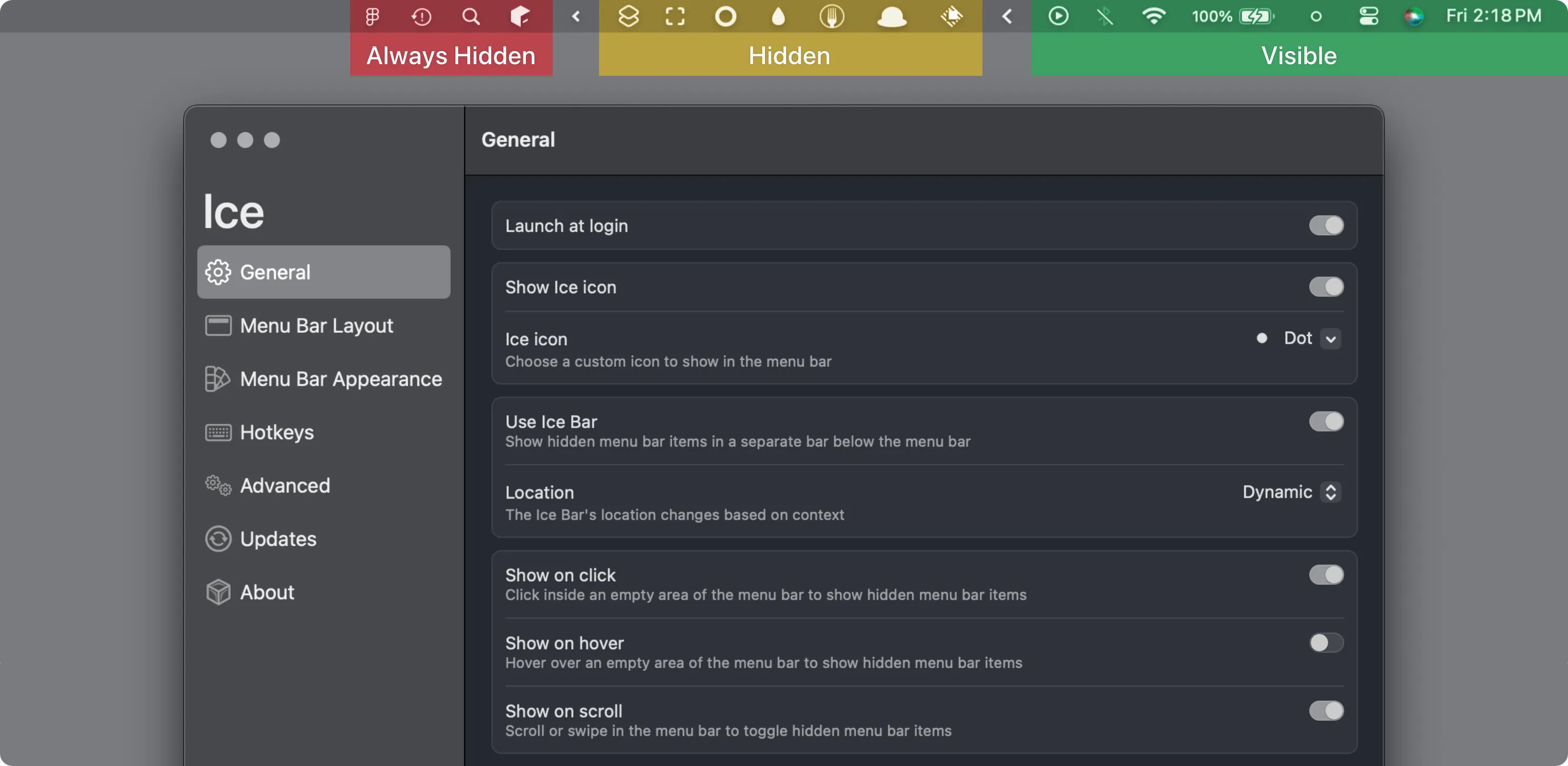
Ice provides comprehensive menu bar management for macOS, enabling users to hide, organize, and search menu bar items through a drag-and-drop interface. Developed by Jordan Baird, the app targets users who need granular control over menu bar organization.
The core functionality divides the menu bar into visible, hidden, and “always-hidden” sections. Items in the hidden section reveal on click, while always-hidden items remain concealed unless specifically accessed. This tiered system allows users to maintain rarely-used but necessary menu bar apps without visual clutter.
A notable feature is the menu bar item search, accessible via customizable hotkey. Users can instantly locate and interact with any menu bar app, including hidden items, enabling keyboard-driven navigation that eliminates visual scanning. This feature proves particularly useful for users with extensive menu bar app collections.
Customization options include menu bar appearance adjustments for tinting, shadows, borders, and spacing. Custom hotkeys can toggle different sections independently, supporting workflow-specific menu bar layouts. The app respects system themes and accessibility settings while providing these additional visual options.
Ice leverages modern macOS APIs, which accounts for the macOS 14+ requirement. The app can operate in a limited mode without screen recording permissions, though full functionality requires standard system access for menu bar manipulation.
System requirements
- macOS 14 Sonoma or later
- Available via Homebrew (
brew install --cask jordanbaird-ice) or GitHub releases - Free, open-source (GPL-3.0 license)
Limitations
- macOS 14+ requirement excludes older system users
- Full functionality requires screen recording permission
- More complex than simpler alternatives for basic hide/show needs
Alternatives
- Hidden Bar (Free, open-source) - Simpler hide/show without search or customization
- Bartender 6 (paid, one-time or Pro subscription) - Premium option with similar feature depth
- Dozer (Free, open-source) - Basic menu bar management
The app runs efficiently with minimal background resource consumption. The last stable release is 0.11.12 (29 October 2024). The last product commit on the main branch was in June 2025; later 0.11.13-dev builds targeted macOS Tahoe betas. macOS 26 users should look at Thaw, a maintained Ice fork.
Suitable for users on macOS 14 or 15 who want advanced menu bar control with search and customization beyond basic show/hide.


