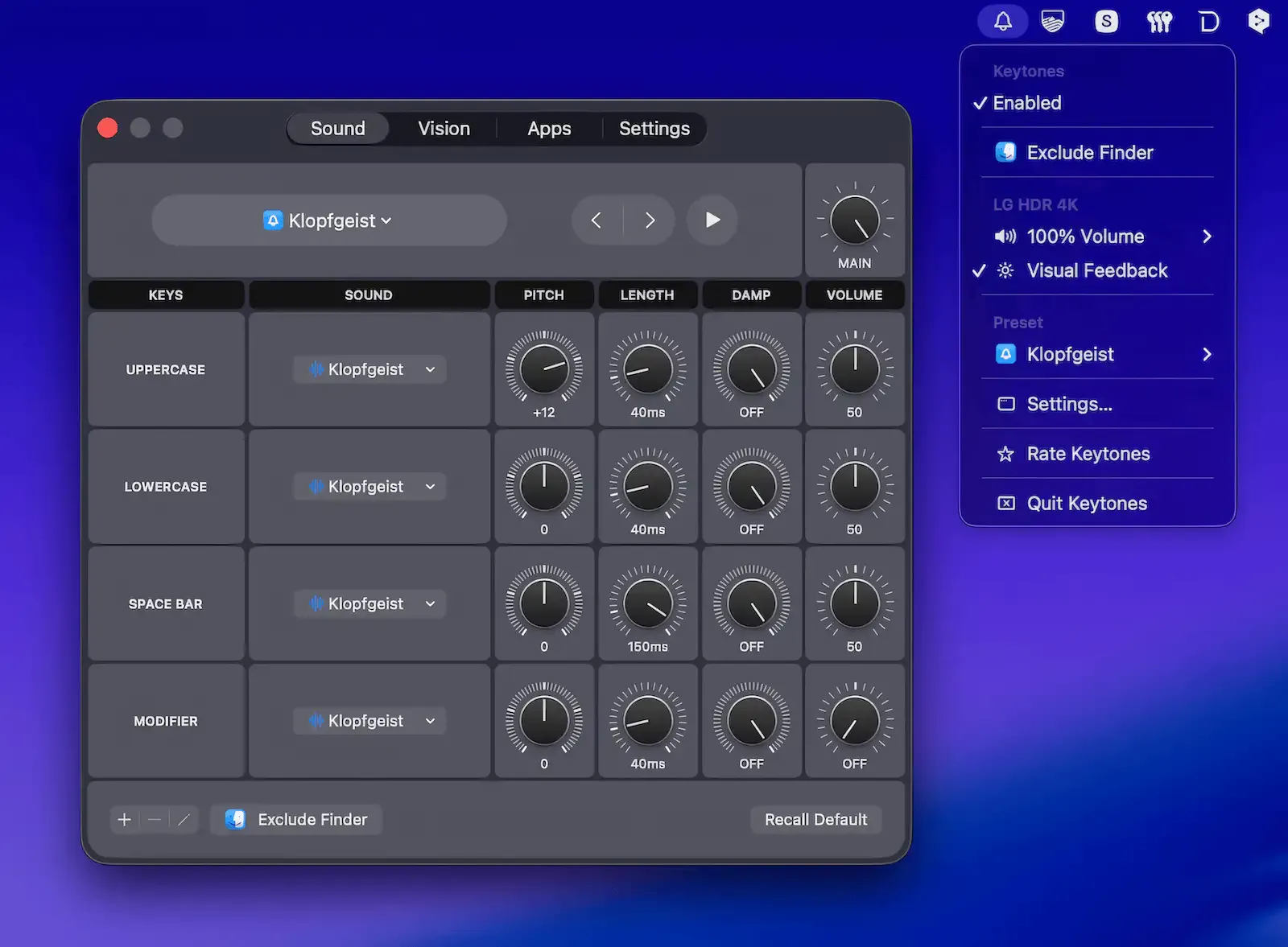
Keytones adds audible and visual feedback to Mac keystrokes, playing distinct sounds for different key types — letters, modifier keys, and spaces — while optionally displaying an on-screen pulsing border for visual confirmation. ($2.99, one-time)
The app distinguishes between uppercase and lowercase letters by sound, making accidental Caps Lock or Shift activation immediately noticeable. Sound behavior is configurable at a granular level: pitch, length, damping, and volume can be adjusted independently for each key group, and users can import custom audio files with built-in format validation. This flexibility supports both subtle click-style feedback and more expressive typewriter effects.
Keytones provides per-app control, allowing specific applications to be blacklisted or whitelisted so audio feedback only activates where it is wanted. A quick-mute function triggers by triple-tapping any modifier key — Command, Option, Control, or Shift — enabling instant silencing without opening settings. The app integrates with Siri and the Shortcuts app for hands-free control and adjusts settings automatically based on connected audio output devices, with separate volume levels per device.
The visual feedback layer displays a customizable pulsing border at the bottom of the screen in configurable color, size, and position, providing a non-intrusive cue for users who prefer or need visual confirmation alongside audio.
System requirements: macOS 15.6 or later. App size is 2.4 MB. Requires macOS Accessibility permission. Available on the Mac App Store.
Pricing: ($2.99, one-time)
Limitations: Requires macOS 15.6, excluding users on Sequoia or earlier releases. Audio feedback adds a new perceptual layer that some users in shared workspaces or silent environments may find disruptive despite the quick-mute option. No Windows version available.
Alternatives: Mechanical Keyboard Simulator (free, simpler preset sounds); TypeWriter (basic click sounds only); KbdFix (focused on key repeat behavior rather than sound). No direct equivalent matches Keytones’ per-key-group sound customization and visual feedback combination.
Suitable for users who type frequently and want immediate sensory confirmation of modifier key state, or those seeking a customizable typing audio experience on macOS.


