
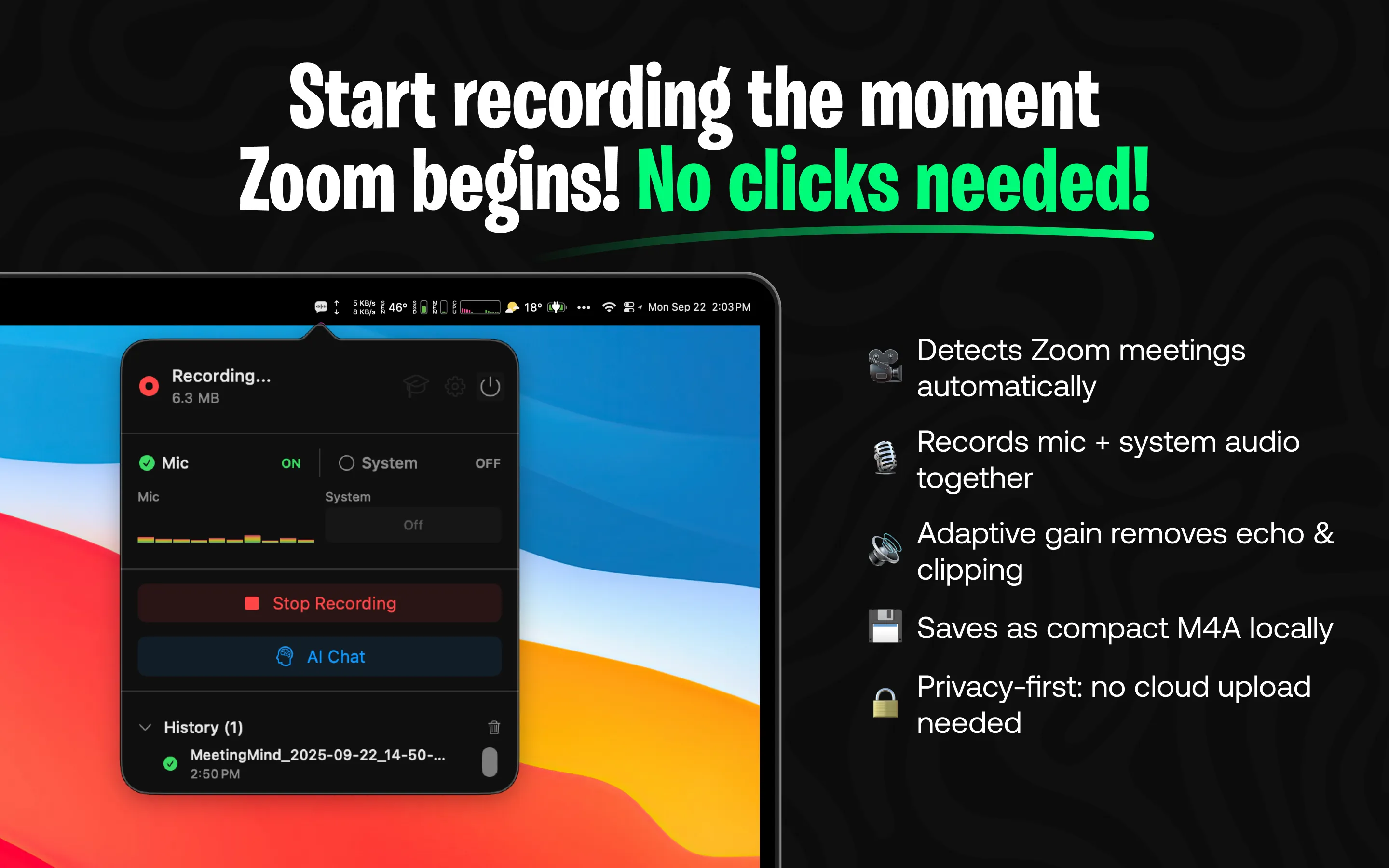
Meeting Mind provides automatic Zoom meeting detection and recording with AI-powered transcription and summaries. The app runs from the menu bar and begins recording when it detects a Zoom session, capturing both microphone and system audio with adaptive gain adjustment.
The local-first architecture processes all recordings on the Mac without sending data to external servers unless explicitly configured otherwise. Users can choose between local AI processing via Ollama or cloud-based AI through OpenRouter for generating summaries and insights. All output saves as formatted markdown files.
Key features include real-time transcription during meetings, post-meeting AI summaries with key points and action items, and an AI chat feature for querying recorded content. Users can ask specific questions about past meetings and receive answers extracted from transcripts.
The free tier provides 60 minutes of recording per day, covering typical standups and short meetings. Unlimited recording requires a one-time purchase through the Mac App Store with no subscription. The app requires macOS 14.0 or newer and runs on both Apple Silicon and Intel Macs.
Meeting Mind requires screen recording and microphone permissions. During active recording, memory usage remains around 100MB with CPU at 2-3%, reasonable for real-time transcription workloads. A visible recording indicator appears in the menu bar during capture.
The primary limitation is Zoom-specific automatic detection. Google Meet, Microsoft Teams, and other platforms require manual recording initiation. Users relying primarily on non-Zoom platforms should evaluate alternatives such as Otter.ai, Fireflies.ai, or Grain, which offer broader platform support through different approaches.
Suitable for users who conduct frequent Zoom meetings and need reliable automatic recording with AI-powered transcription, particularly those who prioritize local data processing and one-time purchase pricing over subscription models.


