
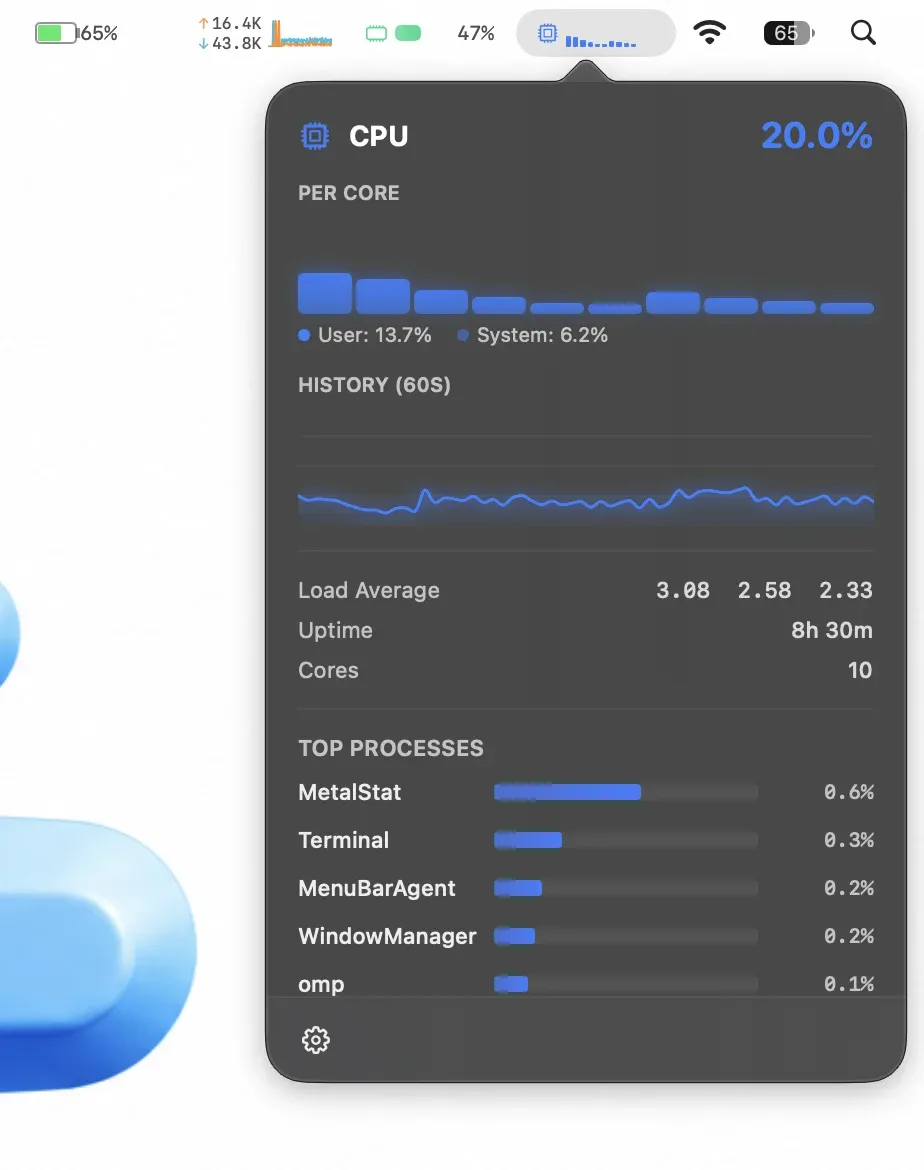
MetalStat is a menu bar system monitor that tracks six hardware metrics simultaneously and surfaces them in compact detail popovers with live charts. ($7.99, one-time) It is distributed directly and targets developers, system administrators, and power users who need continuous visibility into Mac performance.
Six independent modules cover the main performance dimensions: CPU load, memory pressure, network throughput, disk activity, battery level, and temperature sensors where the hardware exposes them. Each module can be enabled or disabled independently to control menu bar space usage. Clicking any active module opens a detail popover with multiple chart formats — sparklines, ring charts, bar graphs, and line graphs — refreshed every two seconds.
The menu bar display is configurable with selectable visual themes and chart styles. No special macOS permissions are required for the current monitoring features, which distinguishes it from tools that request Full Disk Access or Accessibility grants. The app collects no usage analytics and no data leaves the device.
System requirements: macOS 14 or later. Apple Silicon (M1 or later) only — Intel Macs are not supported. Internet connection required on first launch for licence verification. Apple-notarized.
Pricing: ($7.99, one-time) with a 3-day free trial. No subscription. Licence key delivered by email after purchase.
Limitations: Apple Silicon only excludes Intel Mac users. The 3-day trial is shorter than some alternatives. Temperature readings depend on sensor availability and may not appear on all Mac models. Long-term historical analytics and remote fleet monitoring are out of scope.
Alternatives: Stats (free, open-source) provides CPU, RAM, disk, network, and battery monitoring with similar panel depth. iStatistica Pro ($9.99) adds customizable widgets and more detailed GPU monitoring. Activity Monitor (built-in) covers the same metrics but requires opening a separate app window rather than a menu bar popover.
Suitable for users on Apple Silicon Macs who want persistent system metric visibility without opening Activity Monitor or installing a full system-management suite.


