
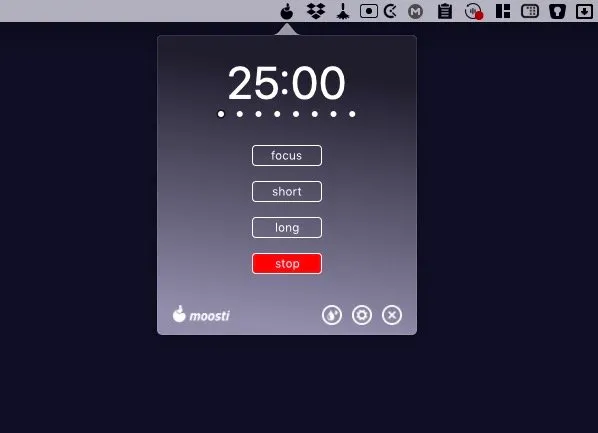
Moosti provides flexible Pomodoro-style time management with customizable work and break intervals, addressing the limitation of the traditional technique’s rigid 25-minute sessions. The app allows focus sessions from 10 to 60 minutes and break periods from 3 to 30 minutes.
The standard Pomodoro method uses fixed intervals that may not suit all task types. Moosti addresses this by allowing users to match session length to task requirements—longer intervals for deep work requiring sustained concentration, shorter bursts for administrative tasks. Short breaks range from 3 to 5 minutes for quick mental resets, while long breaks extend from 5 to 30 minutes for genuine recovery.
The app lives in the menu bar, staying accessible without demanding constant attention. The interface emphasizes simplicity over feature complexity—no elaborate statistics dashboards or gamification elements. This minimalist approach focuses on supporting work rather than becoming work itself.
Moosti does not include website blocking or automatic task tracking features found in more complex Pomodoro apps. Users requiring accountability mechanisms may find Flow or Focus better suited to their needs. For self-directed users who benefit from time structure without enforcement tools, this simplicity becomes a strength.
The app is available directly from the developer’s website rather than through the Mac App Store. Independent distribution means updates may arrive less frequently than apps in major marketplaces, though the lightweight nature of timer apps generally requires minimal ongoing maintenance.
Technical requirements and pricing details are available on the official website. The app runs with minimal system resources as expected from a focused timer utility.
Alternatives include Flow (includes blocking features), Focus (comprehensive productivity suite), and Be Focused (traditional Pomodoro with statistics).
Suitable for users who find the traditional Pomodoro Technique’s fixed intervals too rigid, particularly freelancers, writers, and developers who need different time structures for different types of work.


