
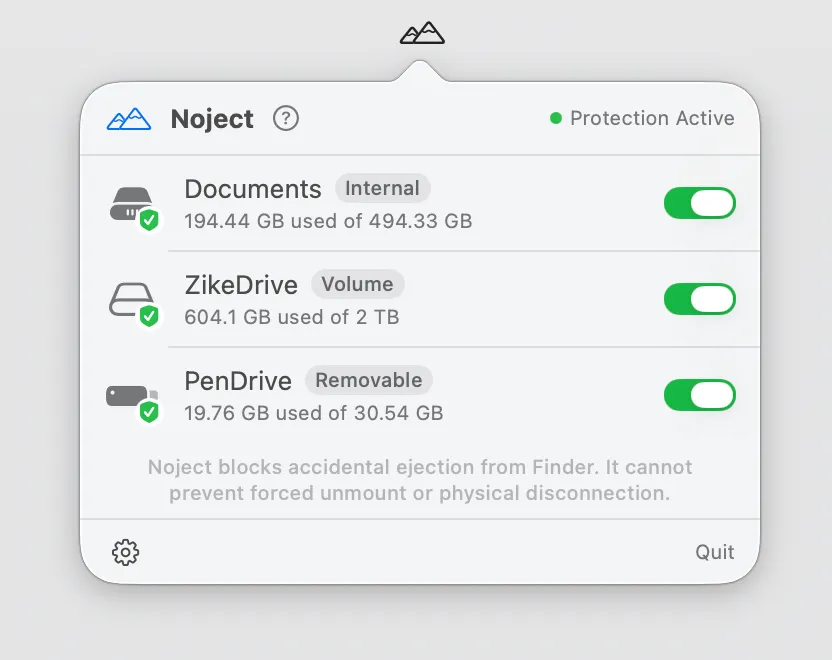
Noject prevents accidental ejection of externally mounted drives by intercepting and blocking unmount attempts from Finder, Disk Utility, and third-party applications. The app runs as a lightweight background agent that persists across reboots and sleep cycles. (Free)
Users mark individual volumes for protection through the menu bar interface. Configuration is stored by volume UUID so protection resumes automatically when drives reconnect after being unplugged. When an ejection attempt is blocked, a notification alerts the user in real time, providing awareness of which application triggered the event.
The right-click menu bar interface provides two key actions: revealing protected drives in Finder, and invoking “Eject Once” for intentional unmounts without permanently disabling protection. This override mechanism accommodates planned disconnections while maintaining persistent protection for accidental scenarios.
Noject ships with full localization in nine languages: English, German, Spanish, French, Italian, Japanese, Korean, Portuguese (Brazilian), and Simplified Chinese.
System requirements: macOS 14 or later. Available free on the Mac App Store with lifetime updates.
Pricing: (Free)
Limitations: Protection only applies to currently mounted volumes. Drives that are disconnected before Noject can intercept remain unprotected during that specific unmount event.
Alternatives: DiskSight monitors drive health without ejection blocking. macOS Disk Utility provides manual unmount management but no automatic interception. DiskDiag offers drive diagnostics without protection features.
Suitable for users who work with permanently connected external drives and need protection against accidental unmounts during active data transfers, Time Machine backups, or other long-running disk operations.


