
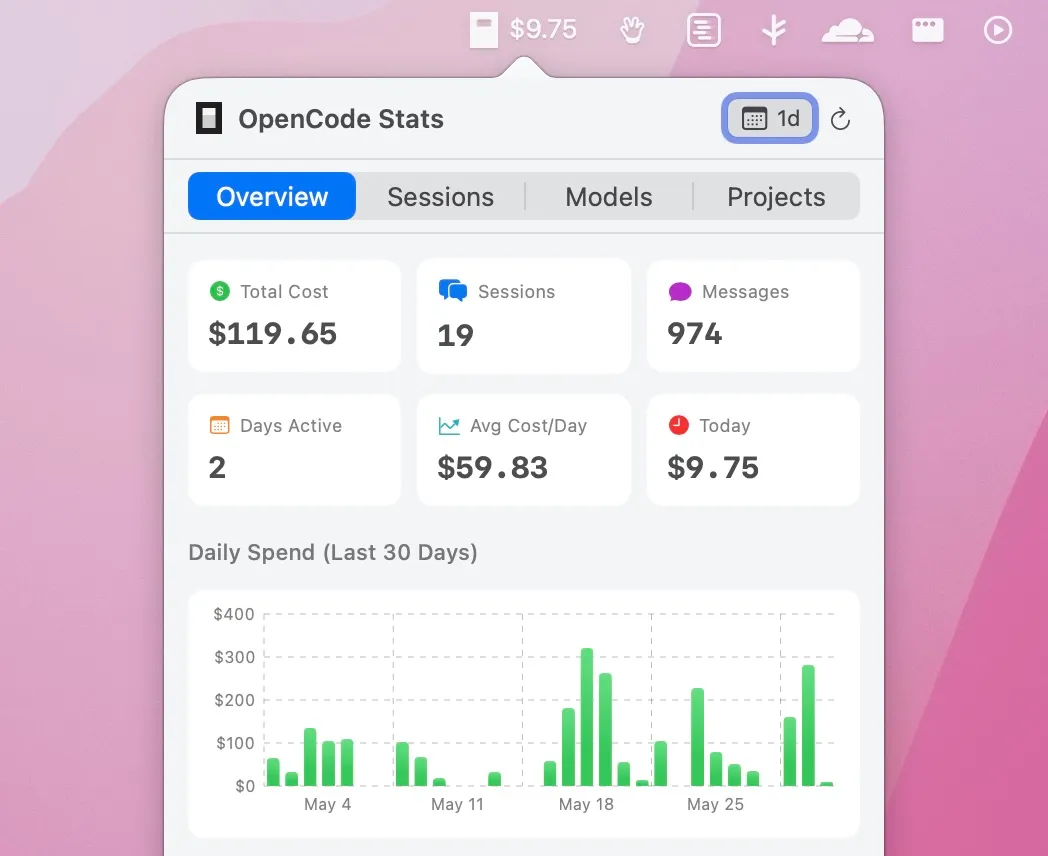
OpenCode Stats is a native macOS menu bar application that monitors AI usage and spending for users of OpenCode, the open-source AI coding agent. The app reads OpenCode’s local SQLite database directly and displays current-day spend in the menu bar with a detailed breakdown accessible on click. (Free, open-source)
The primary menu bar display shows the daily spending figure, updating as new OpenCode sessions complete. The dropdown panel provides comprehensive metrics including total cumulative cost, session count, message count, and active days. A 30-day cost chart visualizes spending trends over time, and token usage is broken down into input tokens, output tokens, reasoning tokens, and cache read and write operations separately.
Per-project cost analysis shows which codebases or projects consume the most AI budget, supporting informed decisions about where AI assistance is most and least cost-effective. A recent session list shows individual session history with timestamps and costs. The MCP server inventory displays which Model Context Protocol servers are configured and active in OpenCode.
Time period filters allow analysis across 7-day, 30-day, 90-day, and all-time windows. All data is read locally from the SQLite database without any network calls, API authentication, or cloud dependency. The menu bar item remains lightweight during idle periods.
System requirements: macOS 15.0 Sequoia or later. Requires OpenCode to be installed and have prior usage recorded in its database. Download from GitHub Releases.
Pricing: (Free, open-source)
Limitations: macOS 15 minimum excludes users on Sonoma or older. The app is exclusively compatible with OpenCode; other AI coding tools (Cursor, GitHub Copilot, Cline, Continue) are not supported. Budget alerts or usage limit notifications are not included. Requires OpenCode prior usage to display meaningful data.
Alternatives: Headroom (also in this directory) provides similar menu bar monitoring but specifically for Claude Code rather than OpenCode. No other native macOS menu bar apps for OpenCode usage tracking currently exist. OpenCode’s built-in session output includes cost summaries per session in the terminal.
Suitable for users who run OpenCode regularly and want passive visibility into AI spend without reviewing terminal output after each session.


