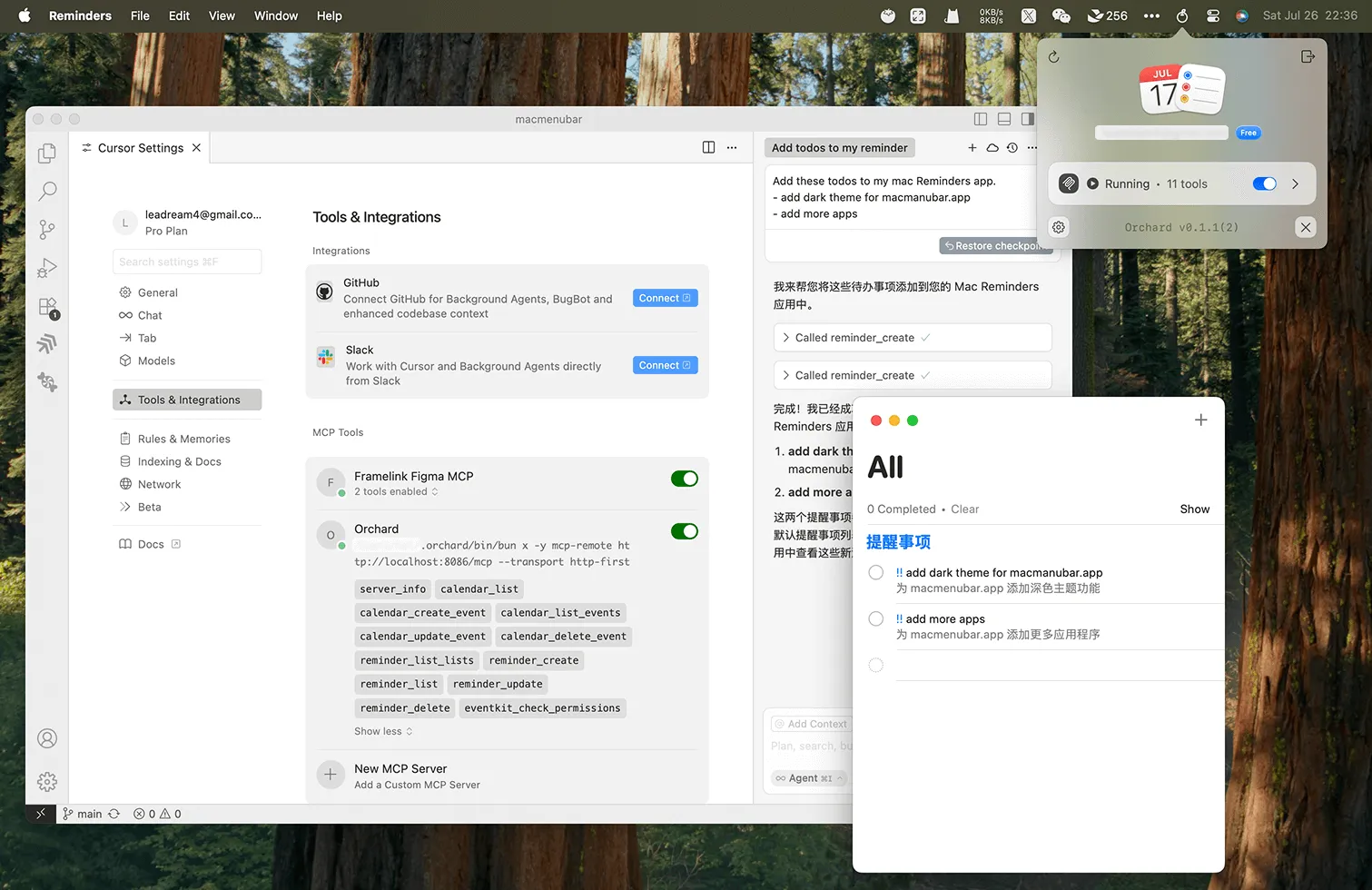
Orchard bridges MCP-compatible AI assistants like Claude with native Apple applications, enabling natural language control of Calendar, Mail, Apple Music, Notes, Reminders, Messages, Maps, and Weather directly from AI conversations. Users can issue commands like “schedule tomorrow’s meeting for 3 PM” and Orchard handles the Calendar.app interaction automatically.
The app is built natively in Swift, providing responsive performance with minimal resource usage (less than 1% CPU, approximately 80MB memory). It runs silently in the background with a small menu bar icon showing connection status.
Key capabilities include smart date and time interpretation for Calendar, comprehensive Mail functionality (inbox search, filtering, content extraction), playlist management and library search for Apple Music, and rich text formatting support for Notes. Multi-step workflows are supported, allowing commands like “find a restaurant downtown, add it to my calendar for tomorrow at 7 PM, and text Sarah the details” to coordinate across multiple applications.
The privacy architecture runs entirely locally on the Mac. No data leaves the machine beyond what users already send to their AI assistant. Developer 5KM Tech, LLC has documented this local-first approach.
Orchard requires macOS 14.0 Sonoma or later. The app is available as a free download from orchard.5km.tech, with pricing tiers for advanced features while core functionality works without payment.
Initial setup requires granting accessibility access and automation permissions for each controlled application. Documentation on the website includes clear setup instructions and usage examples for each supported app.
Limitations include exclusive compatibility with MCP-compatible AI assistants only. Integration depth varies by application, with Calendar and Mail offering more comprehensive support than some newer Apple apps.
Suitable for users who already use Claude or other MCP-compatible AI assistants and want natural language control over native Mac applications with a privacy-focused, locally-running solution.


