
ShinyTimer
Freemium time tracker in the menu bar with clients, projects, hourly rates, a weekly timesheet and a desktop widget. Pro is $3.99/month.
- Price
- Free · optional Pro
- Requires
- Not Listed
- Runs on
- Not Listed
- Size
- 2.6 MB
- Around Since
- 2025
- Open Source
- No
- Last Checked
- 2026-11-16
Free to start. Pro is $3.99/month or $29.99/year, with a free trial for new subscribers.
 1 screenshot
At a Glance
Best For
Tracking billable time per client and project from a menu bar timer.
The Catch
CSV import/export and iCloud sync need a Pro subscription, and there is no one-time purchase listed.
About ShinyTimer
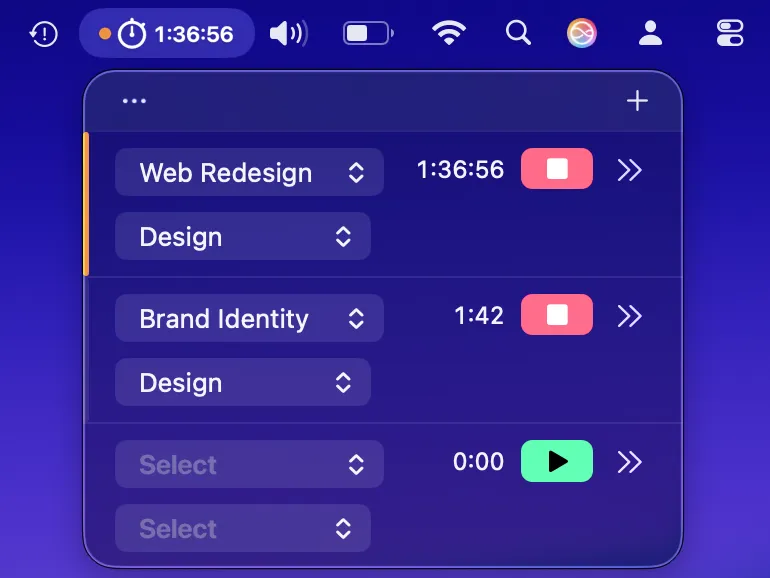
ShinyTimer puts a running timer in the menu bar. Click it to start, stop or switch between tasks, each filed under a client and project.
Hourly rates turn tracked time into billable totals. A weekly timesheet grid, reports with charts and a desktop widget show where the hours went. A global hotkey (⌃⇧T), Siri and Shortcuts cover starting and stopping without the mouse, and away detection handles time spent away from the Mac.
The free tier covers the basics. Pro adds CSV import and export and iCloud sync.
The publisher pages disagree on the macOS minimum: the website says 14.6 and the App Store listing says 26.0, so check the listing before you buy.
Sources checked on November 16, 2026: official site, Mac App Store listing. This is a review of publisher documentation, not a hands-on test.
FAQ
What does ShinyTimer Pro cost?+
Pro Monthly is $3.99 with a 7-day free trial, and Pro Annual is $29.99. Pro adds CSV import and export and iCloud sync.
Can ShinyTimer track billable hours?+
Yes. You can set up clients, projects and tasks with hourly rates, then review a weekly timesheet grid, reports and charts.
Does ShinyTimer work with Shortcuts and hotkeys?+
Yes. It supports Siri and Shortcuts, a global hotkey (⌃⇧T) and away detection.
Where do I get ShinyTimer?+
From the Mac App Store. The listing is 2.6 MB.