Sleepr restores sleep timer functionality removed from macOS Ventura, enabling users to schedule when their Mac goes to sleep after completing downloads, backups, or other time-based tasks.
Apple removed the Energy Saver sleep scheduling feature in macOS Ventura, eliminating a capability many users relied upon for automatic sleep after extended tasks. Sleepr fills this gap through a focused menu bar utility developed by Mathieu Santostefano.
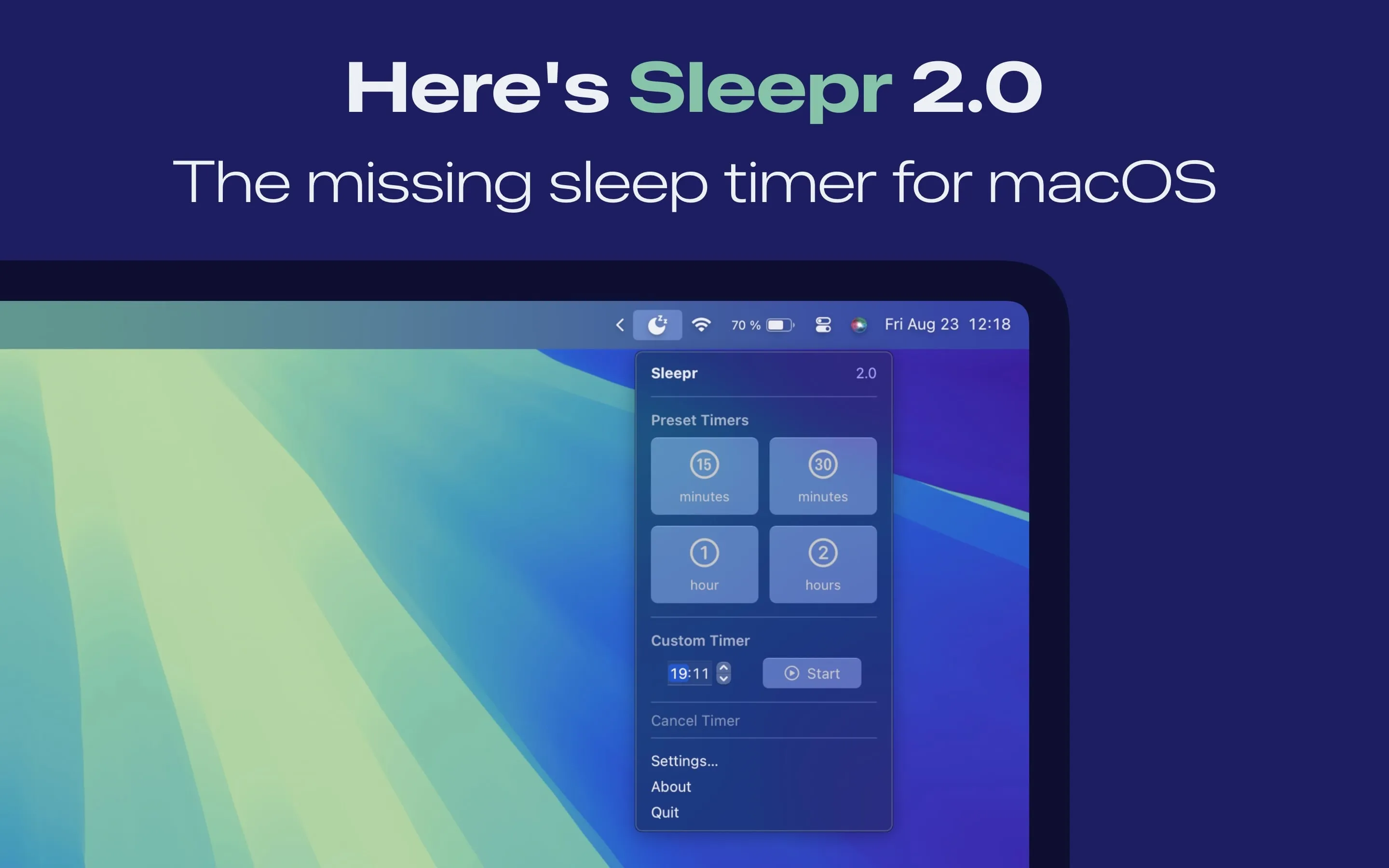
The core functionality is straightforward: click the menu bar icon, set a timer duration, and the Mac sleeps automatically when the timer expires. Custom durations accommodate any task length, from 30-minute backups to multi-hour renders.
A notification system provides 10-minute warnings before scheduled sleep, with direct timer extension available from the notification itself. This prevents unexpected interruptions when tasks run longer than anticipated or when users return to active work.
Settings include notification customization, optional menu bar timer display, and dock icon hiding for cleaner desktop presentation. The app adapts to system dark and light mode preferences automatically.
Resource usage remains minimal at approximately 1% CPU and 80MB memory during normal operation. Regular updates address bugs, improve localization (English and French supported), and enhance UI elements. Version 2.1 represents the current release with active maintenance ongoing.
Requirements: macOS 13 Ventura or newer, including Sonoma and Sequoia. Upcoming macOS Tahoe support planned. Available free on Mac App Store with no ads, tracking, or in-app purchases. Developed by Mathieu Santostefano.
Limitations: Designed specifically for scheduling sleep timers, not preventing sleep. Users needing keep-awake functionality should use complementary tools like Amphetamine or Caffeine.
Alternatives: SleepBar ($4.20, similar functionality with preset options); Amphetamine (free, prevents sleep with triggers); native pmset Terminal command (free, requires command line familiarity); Lungo ($4.99, prevents sleep on demand).
Suitable for users who relied on the pre-Ventura sleep scheduling feature and need timer-based automatic sleep for overnight tasks or power management.


