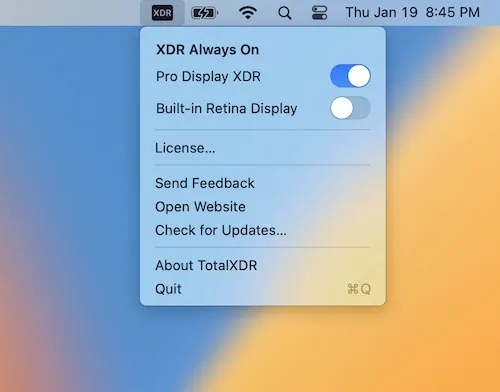
TotalXDR is a menu bar utility that unlocks the sustained peak brightness limit on MacBook Pro XDR displays and Apple Pro Display XDR, enabling the display to reach up to 1000 nits and keeping XDR/HDR extra brightness permanently active. ($15, one-time)
By default, macOS only activates peak XDR brightness in short bursts — typically triggered by high-contrast HDR content — and drops back to the standard sustained brightness limit shortly after. TotalXDR overrides this behavior with a simple menu bar toggle, maintaining the elevated brightness level continuously without any manual intervention. This addresses a common limitation for users who work outdoors or in bright office environments where the standard brightness ceiling is insufficient.
The app also supports Apple Pro Display XDR units connected to Intel Macs running macOS Monterey or newer. It is built natively in Swift with universal binary support for both Apple Silicon and Intel architectures. One-time purchase includes all future major and minor updates with no subscription required.
System requirements: macOS 12.0 Monterey or newer. Compatible Mac hardware: MacBook Pro 2021 (M1 Pro/Max) or MacBook Pro 2023 (M2/M3 Pro/Max), or an Intel Mac connected to a Pro Display XDR. Per-device license; approximately 3 MB installed.
Pricing: ($15, one-time) with a 14-day fully functional free trial. Lifetime updates included. Per-device licensing; additional seats purchasable separately.
Limitations: Only compatible with MacBook Pro models featuring XDR displays (2021 and later); standard MacBook Air and MacBook Pro models without XDR panels are not supported. Intel Mac support requires an external Pro Display XDR. The brightness override may increase fan activity and reduce battery life on battery power. Requires a per-device license with no family or multi-seat bundle.
Alternatives: Lunar (Freemium, Pro ~$23/year) offers broader display management including brightness scheduling and adaptive controls for both built-in and external displays. MonitorControl (Free, open-source) manages external monitor brightness via DDC but does not unlock XDR peak limits. BetterDisplay ($14, one-time) provides resolution scaling and brightness control with some XDR-related options on supported hardware.
Suitable for users who work in bright environments or review HDR content and need the MacBook Pro XDR display to sustain peak brightness beyond Apple’s default automatic management.


