
WattBar
Real-time Mac power consumption monitor in the menu bar, with CPU energy rankings, battery health history, and on-device local storage.
- Price
- Free
- Requires
- macOS 26 or later
- Runs on
- Apple Silicon / Intel
- Size
- 3.2 MB
- Around Since
- 2026
- Open Source
- No
- Last Checked
- 2026-10-31
Free on the Mac App Store, with no in-app purchases.
 1 screenshot
At a Glance
Best For
Watching live Mac power draw and battery health from the menu bar.
The Catch
App CPU-energy rankings work only on supported Macs and exclude GPU and display power.
About WattBar
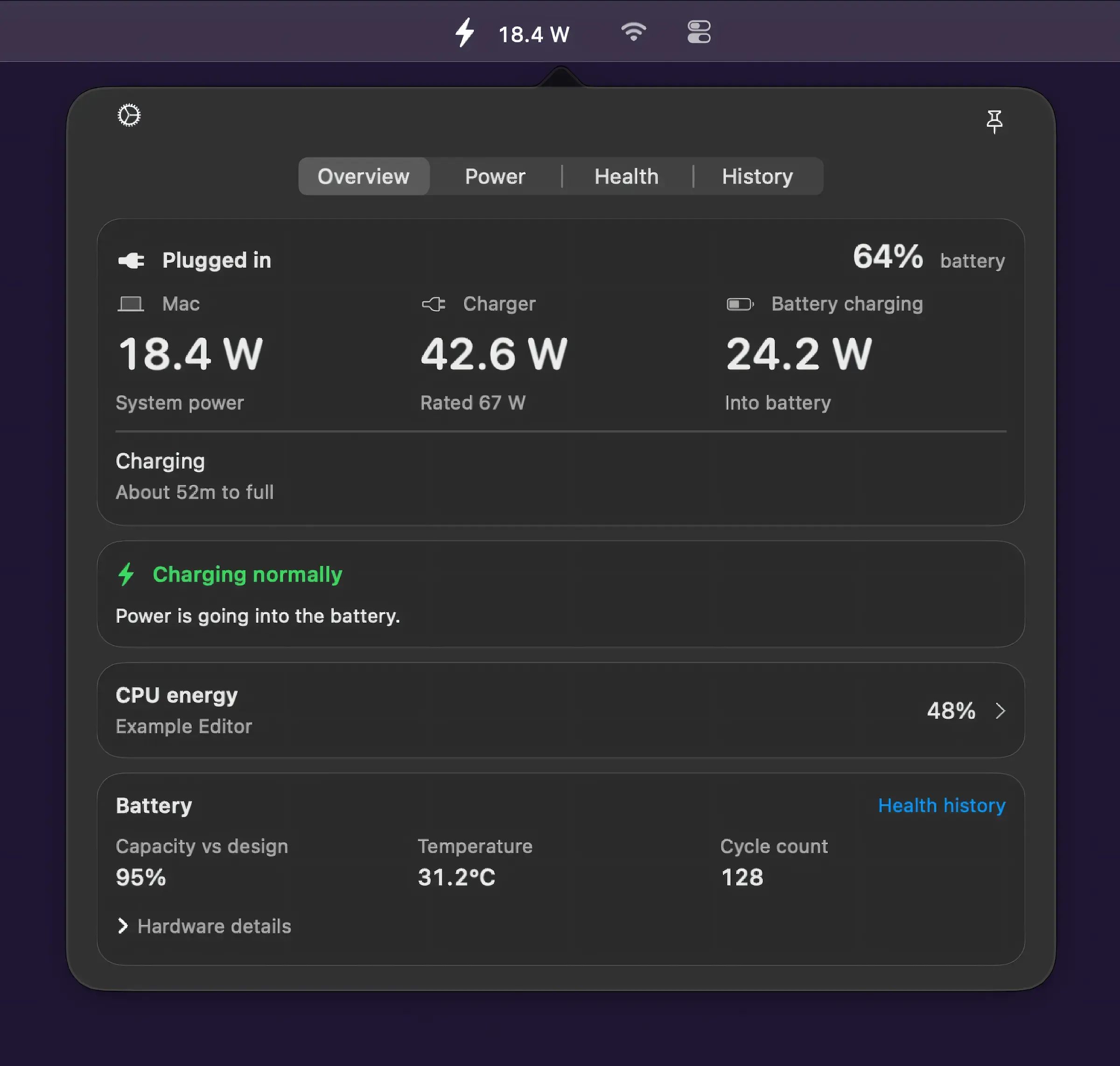
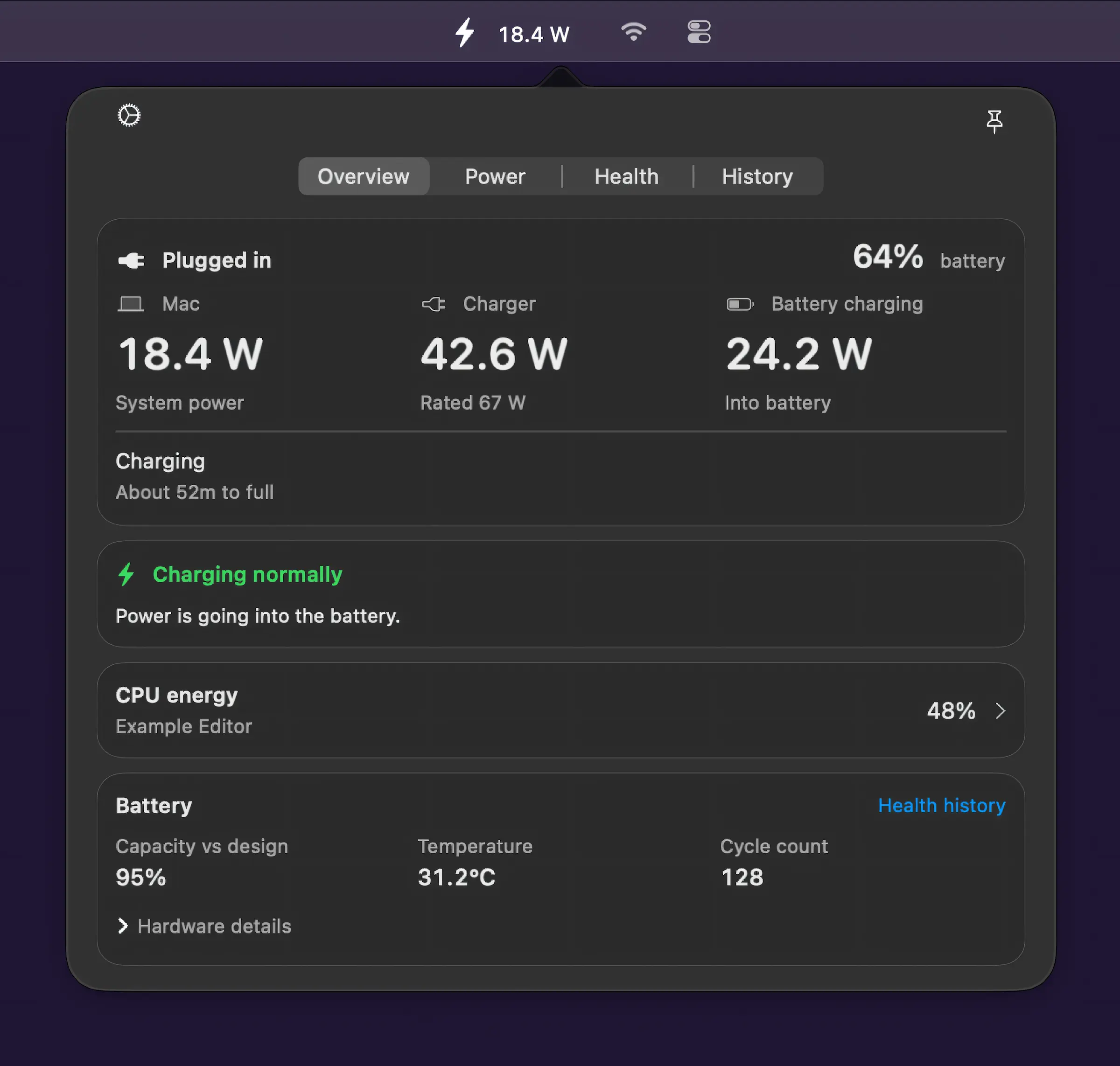
WattBar displays real-time power consumption data in the Mac menu bar, tracking system power draw, charger supply, and battery flow simultaneously. (Free)
The app ranks CPU energy usage by application across configurable 5–30 minute intervals, identifying which processes consume the most power over time. A live 15-minute graph provides instantaneous watt readings, while battery health tracking spans 30, 90, or 365 days. Historical data includes hourly and daily energy consumption records, with optional electricity cost estimates calculated using local rate settings.
All data is processed and retained on-device with no account creation, analytics collection, or cloud synchronization required. The menu bar indicator provides continuous feedback, making it straightforward to identify when the Mac is drawing more power than the charger can supply — a common scenario during sustained CPU-intensive tasks on MacBooks.
System requirements: macOS 26.0 (macOS Tahoe) or later; requires compatible Apple Silicon or Intel hardware.
Pricing: (Free)
Limitations: Requires macOS 26.0, excluding all Macs running macOS 15 (Sequoia) or earlier. Electricity cost estimates require manual entry of local utility rates. The app focuses on power metrics only and does not include other system diagnostics such as CPU temperature or fan speed.
Alternatives: Stats (open-source, broader system monitoring including CPU, memory, and network); iStatistica Pro (comprehensive system stats with charting); coconutBattery (battery health focused, does not show live watt draw).
Suitable for users on macOS Tahoe who want detailed insight into Mac power consumption, battery longevity, and charger efficiency without sending data off-device.
FAQ
What does WattBar do?+
WattBar displays real-time power consumption in the Mac menu bar, showing system power draw, charger supply, and battery flow. It ranks CPU energy usage by app and provides battery health history over 30, 90, or 365 days.
Is WattBar free?+
Yes. WattBar is free to download and use on the Mac App Store with no in-app purchases.
How do I install WattBar on macOS?+
Download WattBar from the Mac App Store at https://apps.apple.com/us/app/wattbar/id6757991474. Requires macOS 26.0 (macOS Tahoe) or later.
Does WattBar run on Apple Silicon?+
Yes. WattBar supports Apple Silicon Macs. macOS 26.0 or later is required, which is compatible with all Apple Silicon hardware.
Does WattBar send data to the cloud?+
No. WattBar stores all power history and usage data on-device. It requires no account, no analytics, and performs no cloud synchronization.