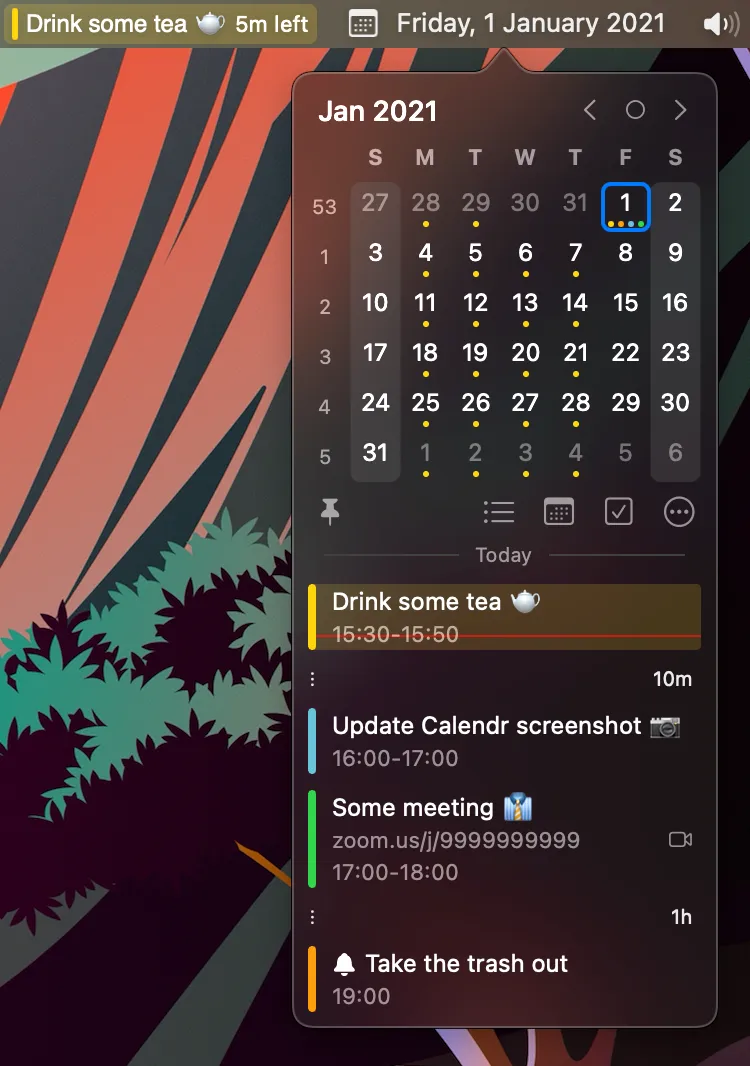
Calendr is a lightweight, open-source menu bar calendar that provides quick access to schedules without opening the full Calendar app. The interface displays a monthly calendar grid alongside a compact agenda view showing upcoming events with color-coded time blocks.
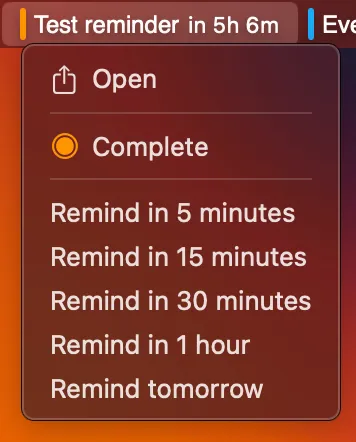
The app reads calendar accounts already configured in macOS Calendar, typically iCloud and Google Calendar. Clicking any event reveals options to open it directly or set quick reminders at standard intervals (5 minutes, 15 minutes, 1 hour before). The agenda view displays time remaining until the next appointment. Natural-language event entry and a global create shortcut are included as of recent releases.
Built natively in Swift using RxSwift. MIT licensed. Version 1.24.0 shipped 20 August 2026.
Installation is via Homebrew (brew install --cask calendr) or Calendr.zip from GitHub Releases.
Pricing: Free, open-source (MIT license).
System requirements: macOS 15 or later (Homebrew cask). Apple Silicon and Intel.
Limitations: Still a glanceable menu bar calendar, not a full replacement for Fantastical. View options and customization stay relatively small. Current builds dropped macOS 14.
Alternatives: Calendar 366 II (premium, extensive features), Itsycal (free, similar simplicity), Fantastical (premium, natural language input).
Suitable for users who need fast, glanceable calendar access without feature complexity, particularly those who prefer open-source solutions with no cost or privacy concerns.


