Automatic Sessions
Amphetamine
Keeping a Mac awake while an app, drive or task needs it.
The Catch Its configuration is more involved than a single toggle.
A 40GB copy died when the Mac slept. Amphetamine’s triggers versus KeepingYouAwake’s caffeinate wrapper — and when Jiggler is the only thing that works.
Automatic Sessions
Keeping a Mac awake while an app, drive or task needs it.
The Catch Its configuration is more involved than a single toggle.
A Simple Timer
Using a small open-source timer based on macOS power management.
The Catch It does not prevent sleep with a MacBook lid closed.
Mouse Activity
Simulating mouse activity for software that reacts to input.
The Catch Requires Accessibility access and may visibly move the pointer.
| App | Best For | Price | The Catch |
|---|---|---|---|
| Amphetamine | Keeping a Mac awake while an app, drive or task needs it. | Free | Its configuration is more involved than a single toggle. |
| KeepingYouAwake | Using a small open-source timer based on macOS power management. | Free | It does not prevent sleep with a MacBook lid closed. |
| Jiggler | Simulating mouse activity for software that reacts to input. | Free | Requires Accessibility access and may visibly move the pointer. |
I started a 40GB copy to an external drive and left for a meeting. Two hours later the Mac had slept, the transfer sat at 60%, and I started over. I know I can set Energy Saver to never sleep. I also know I forget to turn it back, then wonder why a MacBook Air is empty by morning.
The job is narrow: keep the machine awake for a defined window, then let macOS behave again. No permanent setting, no leftover “never sleep” from last week.
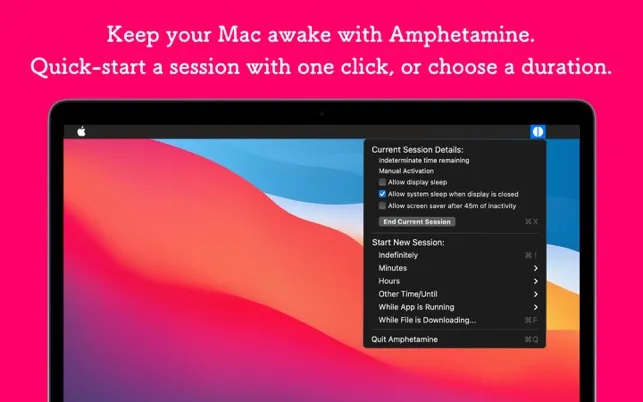
Amphetamine (Free, Mac App Store since 2014) is the one I leave on a Mac Mini. Sessions by duration, until a time, or indefinitely. The part that matters is triggers: while an app is running, while a volume is mounted, while a download is active.
I added “keep awake while HandBrake is running” in under a minute. Display can sleep while the Mac stays up, which is what overnight encodes need. About 50MB RAM, ~1% CPU, no IAP, no ads. William Gustafson has shipped it for a decade.
If you only want a toggle, Amphetamine is more app than you need. If you keep forgetting the toggle, the triggers are the product.
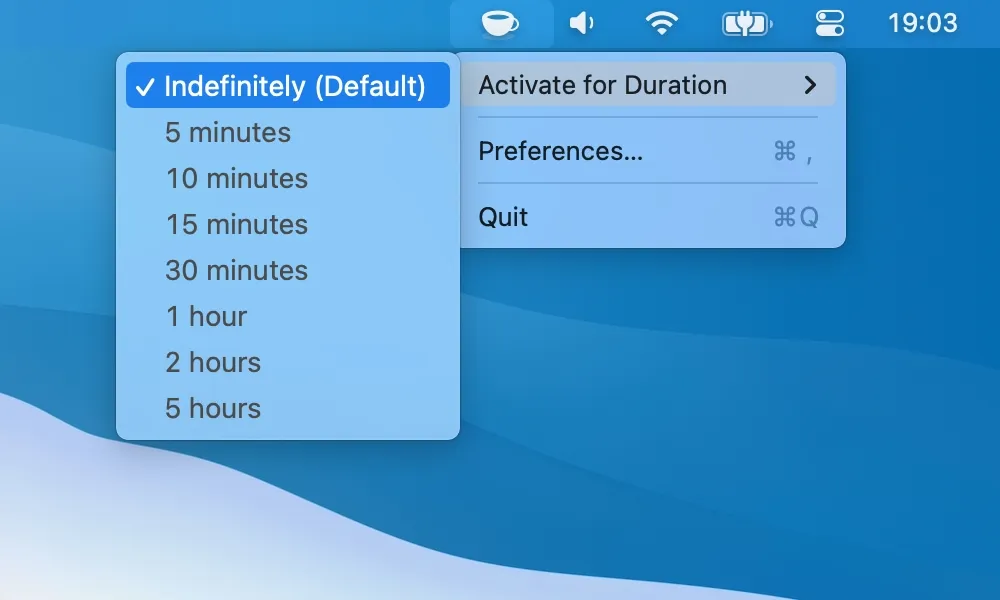
KeepingYouAwake (Free, open-source) is a click to start, click to stop, plus presets from five minutes to indefinite. It wraps Apple’s caffeinate instead of a private workaround. GitHub has 6,000+ stars; Homebrew is brew install --cask keepingyouawake.
No app triggers, no “while this disk is mounted.” That is the point. I use it on a MacBook Air when I need a manual override and nothing conditional.
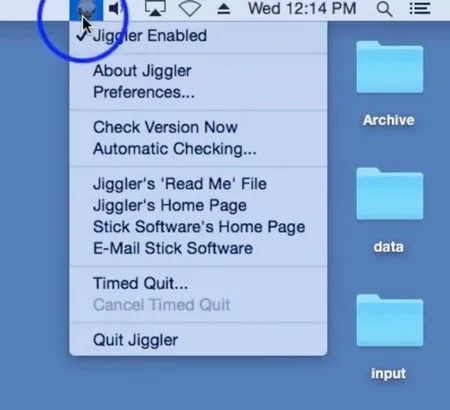
Jiggler (Free, open-source) fakes mouse movement so the system sees activity. Some VPN and remote-desktop setups ignore sleep assertions and only notice a cursor. Version 1.10 added a “Zen” jiggle that does not wander across the screen.
Older Objective-C, not actively developed. I would not install it first. I would reach for it when Amphetamine and KeepingYouAwake do nothing in a locked-down environment.
None of these can keep a closed MacBook awake. That is thermal policy in macOS, not a missing checkbox. Overnight work on a laptop means lid open, or a desktop.
I run Amphetamine on the Mini for HandBrake and copies. KeepingYouAwake on the Air for “this one download.” Start with Amphetamine unless you already live in Homebrew and only want caffeinate with a face.
Selection notes summarize the linked app entries. Prices, compatibility and release status can change. Open the full review and confirm requirements with the developer before installing.