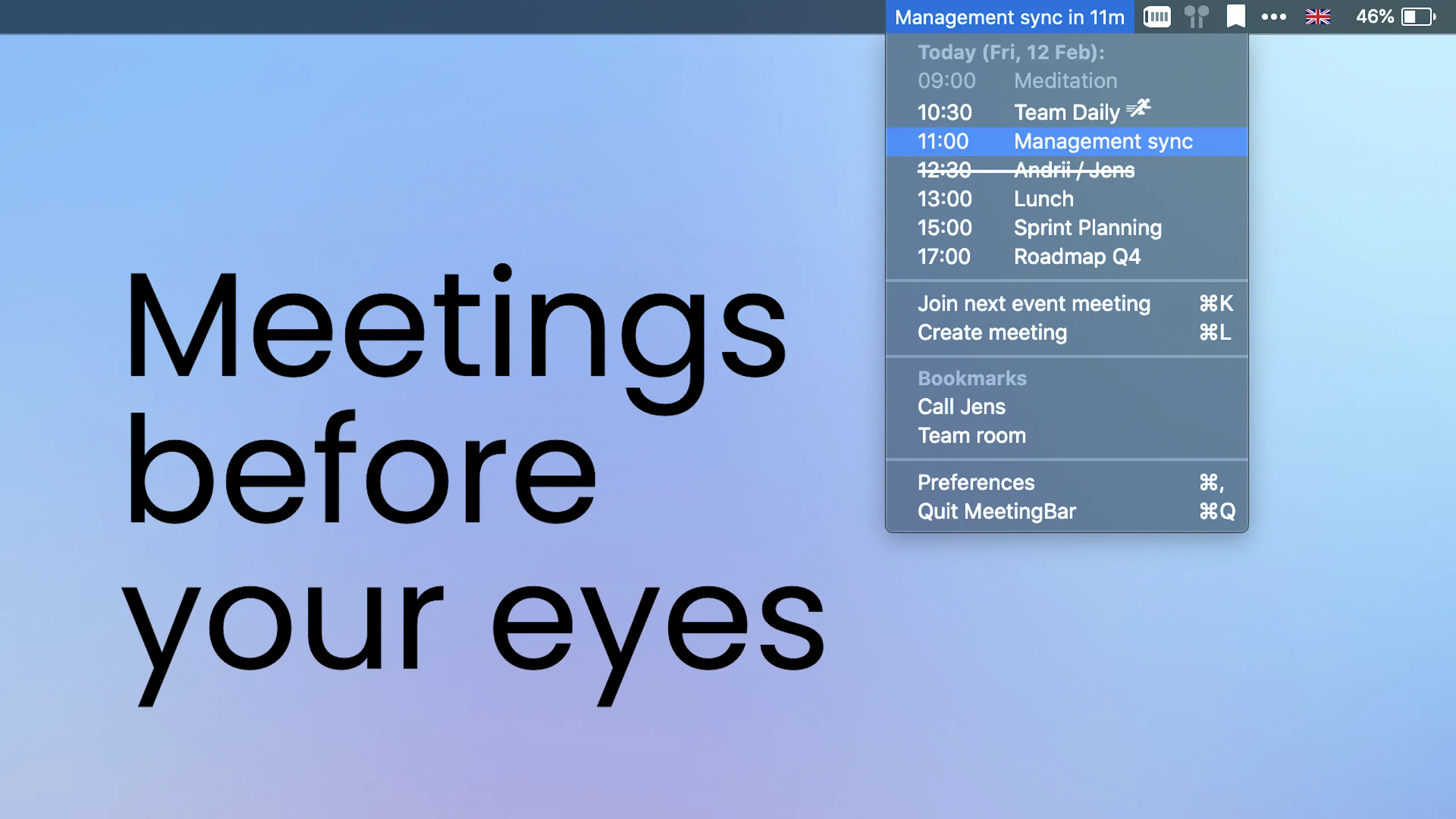
MeetingBar displays calendar events directly in the macOS menu bar and enables one-click joining for video meetings. The app automatically detects meeting links in calendar events and provides appropriate join options for over 50 services including Zoom, Google Meet, Microsoft Teams, Webex, Slack Huddles, Discord, Tuple, and Gather.
The menu bar display supports multiple configurations: showing the next meeting’s title, a countdown timer, or just an icon. Clicking the menu bar icon reveals a complete list of today’s and tomorrow’s events with attendee information, locations, and notes. Version 4.11.6 introduced a visual timeline feature for full-day overview at a glance.
Key features include configurable meeting launch options (native app or browser), keyboard shortcuts for instant meeting joins, bookmarks for frequently used meeting rooms, and AppleScript execution when joining meetings. Users can create new meetings in their preferred service via keyboard shortcut.
MeetingBar integrates with macOS Calendar, supporting all connected calendar providers: Google Calendar, Microsoft Exchange, Office 365, iCloud, and Yahoo. The app processes all data locally with no remote data storage or collection. The open-source codebase has over 5,000 GitHub stars, enabling community code verification.
System requirements include macOS 10.15 Catalina or newer. Installation options include the Mac App Store (4.8-star rating, 500,000+ installations), Homebrew (brew install meetingbar), or direct website download. The app uses minimal system resources with negligible CPU and memory impact.
Limitations include dependency on macOS Calendar configuration; users of third-party calendar apps exclusively must sync with Calendar.app first. Icon-only display mode is recommended for users with crowded menu bars.
Developer Andrii Leitsius maintains active development, with version 4.11.6 bringing core rewrites for improved performance and stability alongside new visibility settings for ongoing events.
Suitable for users who manage multiple video meetings daily and want streamlined calendar access with one-click joining across various meeting platforms.


