
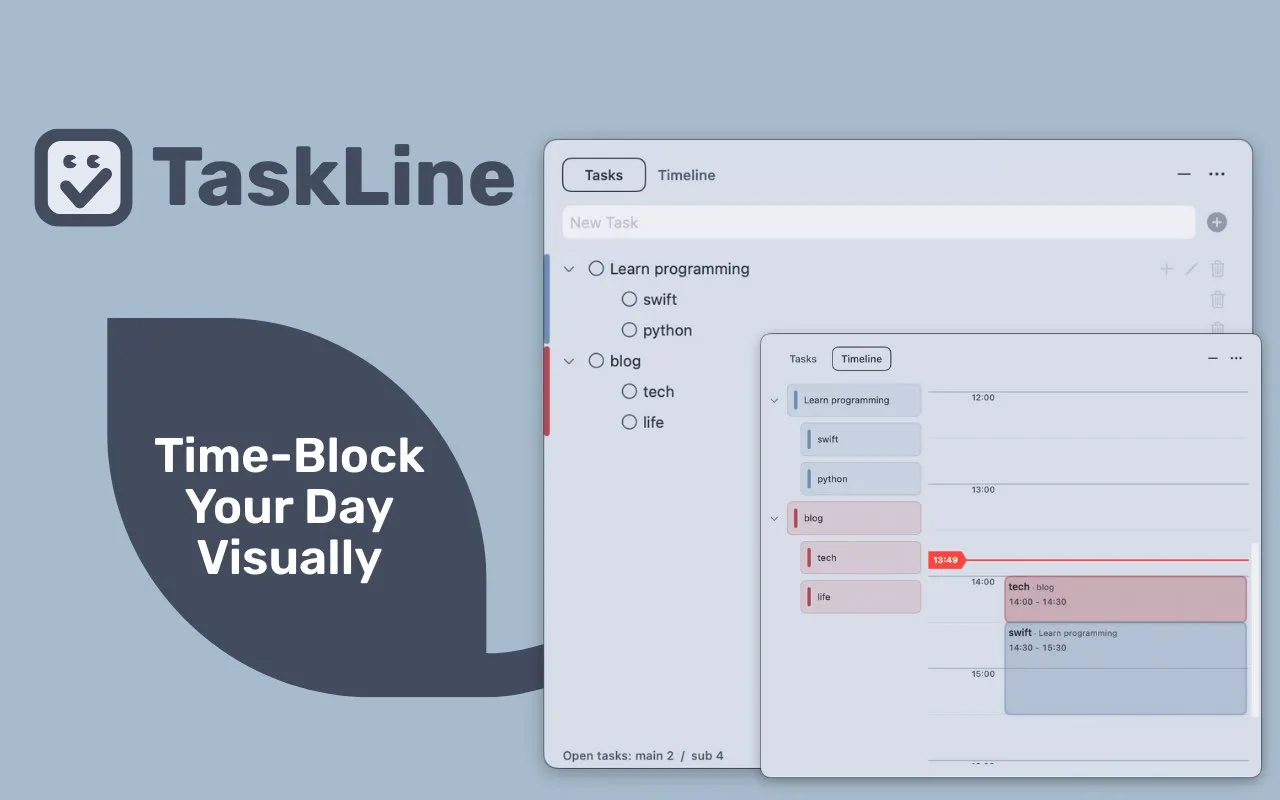
I’ve been working with TaskLine on my M2 MacBook Air for the past few weeks, and it addresses a common productivity problem: I regularly create to-do lists but struggle to decide when to actually start each task. TaskLine bridges that gap by combining a traditional task list with a visual timeline that shows exactly when you’ll work on each item throughout the day.
The app lives in your menu bar and provides two main views. First, there’s a standard to-do list where you create and manage tasks. The magic happens when you drag those tasks onto a daily timeline, essentially blocking out specific time slots for each item. You can adjust how long each task will take by dragging the edges of the time blocks, similar to calendar events but without the complexity of a full calendar app.
What sets TaskLine apart is the menu bar countdown timer. Once you’ve scheduled tasks on your timeline, the app displays the remaining time for your current task right in the menu bar. This creates constant awareness of your schedule without requiring the main window to stay open. I find this particularly useful when coordinating work across different time zones, as it keeps me focused on the current task while the clock is running.
The app supports repeating tasks multiple times throughout the day and includes color-coding to visually distinguish different types of work. Tasks sync between the list and timeline views automatically, so deleting an item removes it from both places. The interface is minimal and focused entirely on daily planning rather than long-term scheduling, which makes it faster to use than traditional calendar applications.
TaskLine is free to download with a freemium model. The base version provides core functionality, while Pro access unlocks additional features for $0.99 monthly, $9.99 annually, or $14.99 as a one-time purchase. The app requires macOS 13 or later and weighs in at just 2.1 MB, developed by Taisuke Tsuchiya.
Performance has been solid during my usage. The app doesn’t noticeably impact system resources, and the menu bar display remains responsive even when switching between applications. The focus timer concept borrows from Pomodoro techniques but integrates it directly into task scheduling rather than treating time blocks as separate from your to-do list.
Users who prefer detailed calendar integration or need to coordinate with external calendar services won’t find those features here. TaskLine deliberately stays focused on daily task planning rather than broader calendar management. If you’re looking for a lightweight way to answer the question “when should I start this task?” rather than just listing what needs to be done, TaskLine provides a practical middle ground between simple to-do apps and complex calendar systems.


