
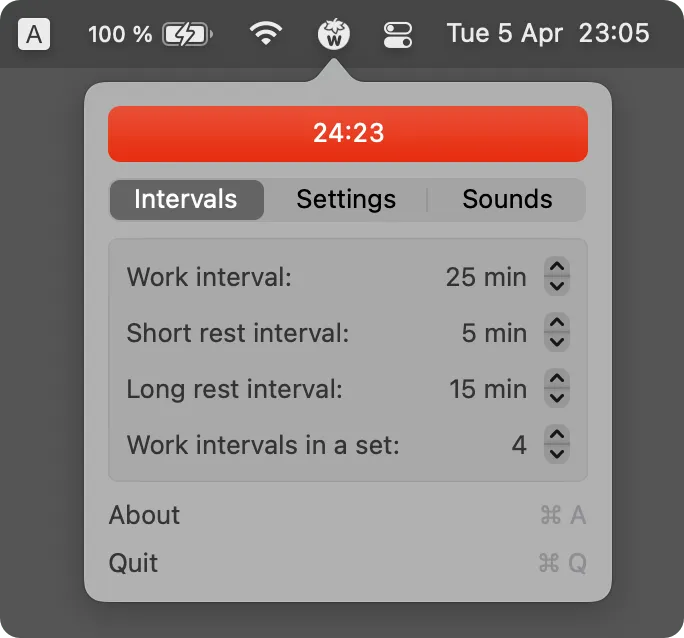
TomatoBar provides Pomodoro timer functionality from the macOS menu bar with what developer Ivan Voronin calls “the world’s neatest Pomodoro timer.” The app implements the classic Pomodoro Technique with configurable work and rest intervals, optional notification sounds, and a timer display showing current session status directly in the menu bar.
The app integrates with the macOS notification system and automatically matches the system theme. Performance is lightweight, consuming minimal system resources while maintaining precise timing accuracy. The fully sandboxed architecture ensures proper security without unnecessary access to user data.
A notable feature is productivity logging capability. TomatoBar automatically logs all state transitions in JSON format, creating detailed records of work sessions for later analysis or integration with other productivity tools. This transforms a simple timer into a productivity analytics tool for data-minded users.
Global hotkey support enables starting, pausing, or resetting timers without clicking through menus or switching applications. URL-based timer control opens possibilities for automation workflows with tools like Shortcuts or Alfred.
TomatoBar requires macOS Big Sur or later and integrates with both light and dark system themes. Installation is available via Homebrew with brew install --cask tomatobar or directly from GitHub releases. If the app does not start initially after installation, the developer recommends using the --no-quarantine flag with Homebrew.
The app is completely free and open source under the MIT license, with timer sounds properly licensed from buddhabeats. The project has gained significant traction with over 2,800 GitHub stars, indicating a healthy user community.
Limitations include the focus on timer functionality without built-in task management or detailed analytics dashboards. Users seeking comprehensive productivity tracking may need to process the JSON logs manually or use additional tools.
Alternatives include TimeMate for another free open-source option, or Focus for more comprehensive productivity management with analytics. Suitable for users who employ the Pomodoro Technique or time-blocked productivity methods, particularly developers and knowledge workers who prefer keyboard-driven workflows and native macOS integration.


