
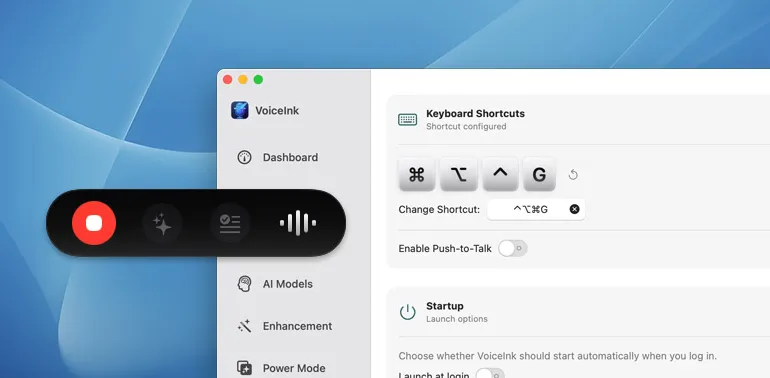
VoiceInk is an offline voice transcription app that processes speech entirely on Apple Silicon Macs using local AI models. No internet connection is required, and no data is sent to external servers.
The app supports 100+ languages with real-time transcription that appears as users speak. VoiceInk leverages Apple’s Neural Engine on M1, M2, and M4 Macs to deliver transcription without network latency. The app handles different accents and speaking patterns without requiring training, adapting to individual speech characteristics automatically.
Setup is straightforward: download the app, grant microphone permissions, and begin transcribing. The interface is minimal with a simple recording window that provides clear visual feedback about recording status and transcription progress. Text can be copied directly from the app or used alongside any writing application.
Resource usage includes approximately 150MB memory during active transcription and minimal CPU when idle. The app requires Apple Silicon (M1, M2, or M4), macOS 14.0 or later, and at least 8GB RAM for optimal performance.
Pricing is $39.99 (one-time purchase) including all future updates.
The privacy benefits are substantial for professionals handling sensitive information. Legal professionals, healthcare workers, journalists, and business consultants can transcribe confidential conversations without concerns about data breaches or third-party access.
Limitations include sensitivity to audio quality; background noise, multiple speakers, or poor microphone quality impact accuracy. Intel Macs are not supported due to the reliance on Apple’s Neural Engine.
Alternatives include Whisper Transcription (also offline, open-source model), MacWhisper (similar local processing), and cloud-based options like Otter.ai (requires internet, subscription model).
Suitable for users who value privacy and need reliable transcription without cloud dependencies, particularly professionals handling sensitive information or anyone working in environments with unreliable internet connectivity.